
Live work · Built by Neurvana AI
Email Triage
Get your inbox down to the mail that needs you. Each new message is sorted within a minute: rules you approve handle the senders you know, AI handles the rest, and anything it isn't sure about stays in front of you. It labels and archives mail. It never sends, replies or forwards.
In use at Neurvana AI since October 2026
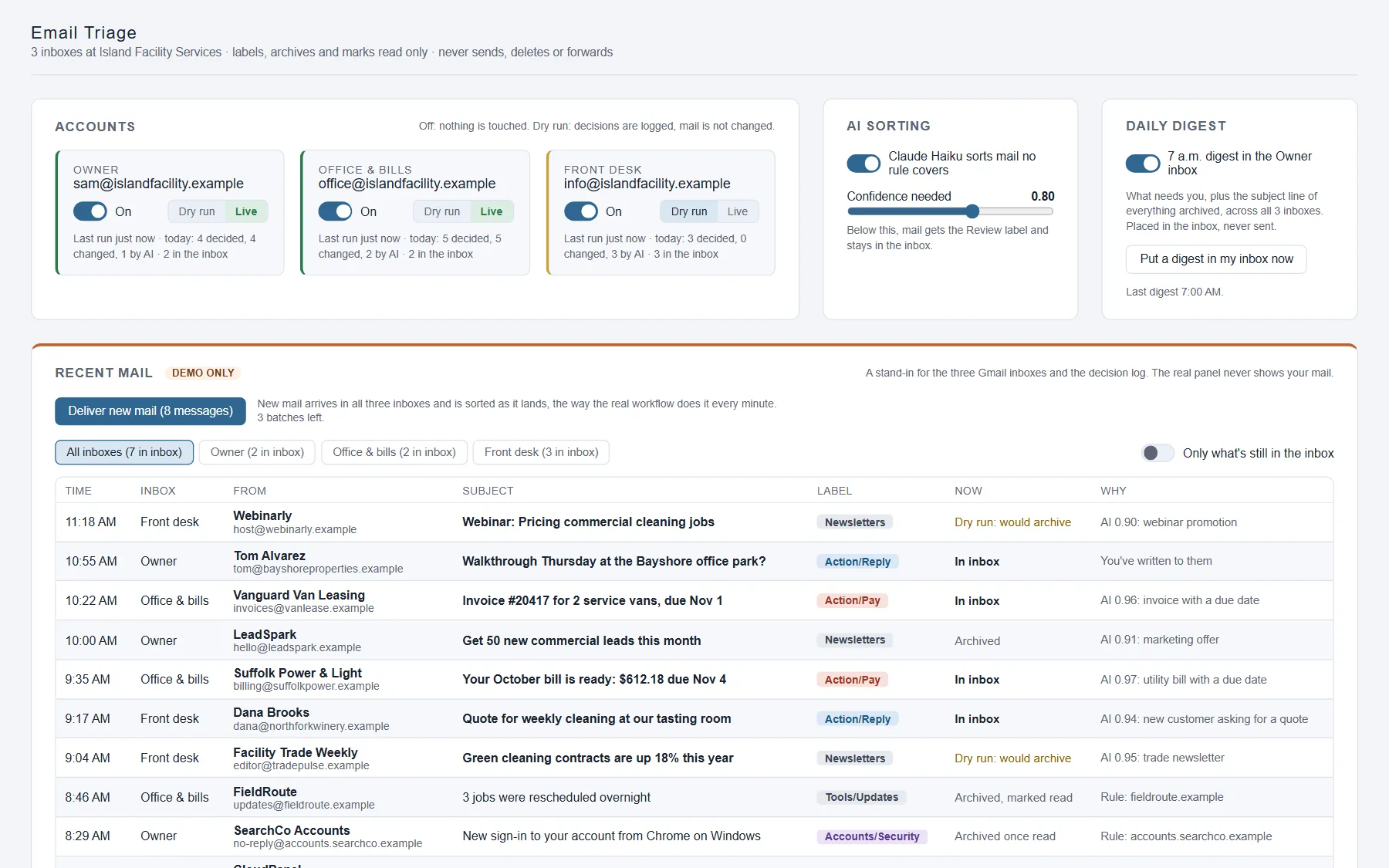
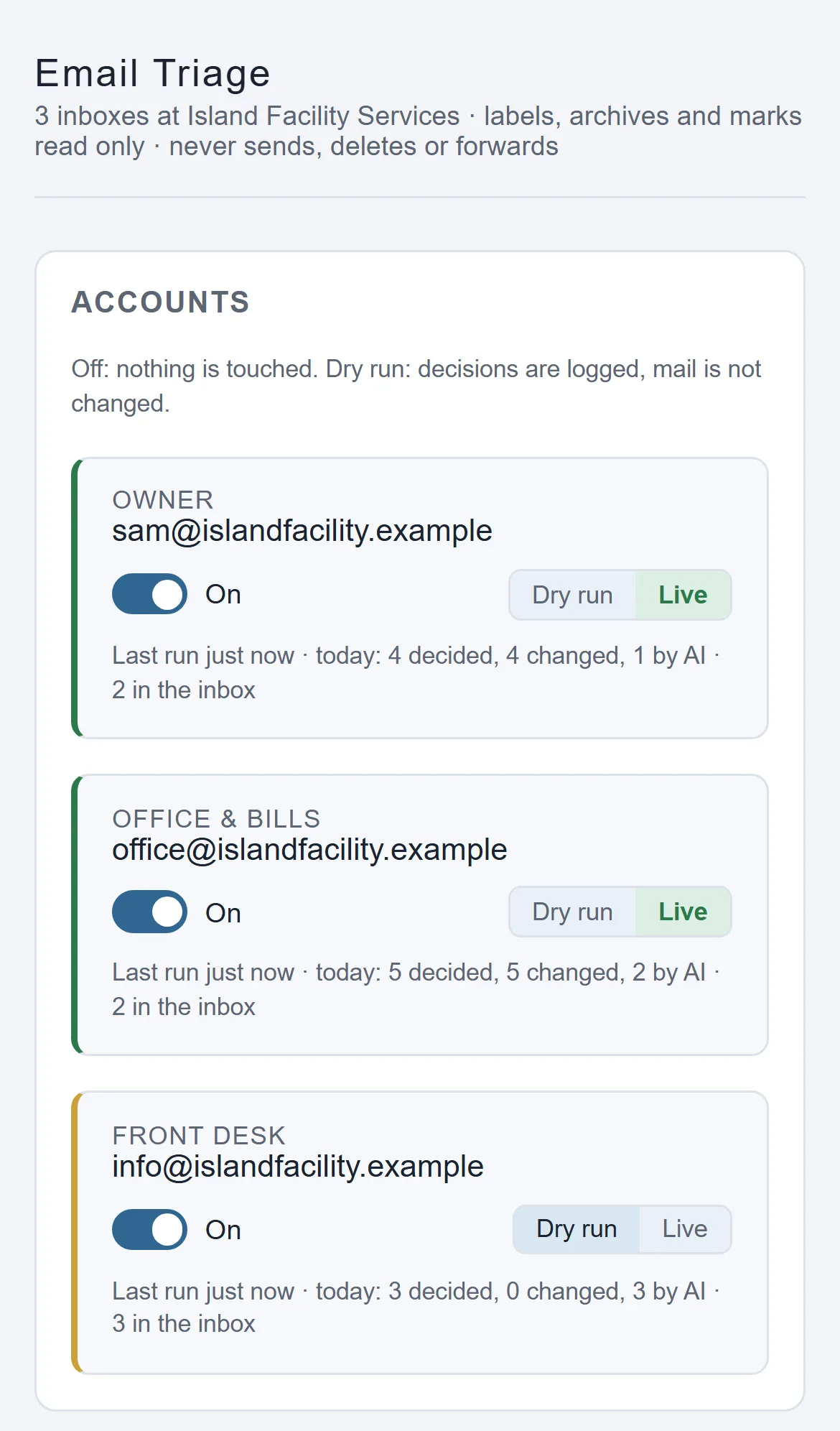
Screens show the demo panel with a fictitious business, people and email addresses.
The mail that matters gets buried
Your inbox fills up with receipts, software notices, newsletters and sales pitches. A client's question or a bill that's due sits between them, and it's easy to miss.
- Bills and client questions land between newsletters and tool notices.
- Sign-in alerts and security codes get lost in the pile.
- Inbox filters pile up, and nobody remembers what each one does.
- Unsubscribing takes several clicks per sender, so it rarely happens.
How it works
From a crowded inbox to a short list
The system reads, sorts and keeps the record. You set the rules and decide when it goes live. These screens are the demo panel, running on a fictitious business with three inboxes.
-
1
You approve the rules
To start, the system reads 90 days of your senders and subject lines, never the message bodies. For each sender that writes often, it proposes a rule: which label the mail gets, and whether it stays in the inbox or is archived. You approve, change or reject each one on your control panel. No rule is used until you approve it.
You approve every rule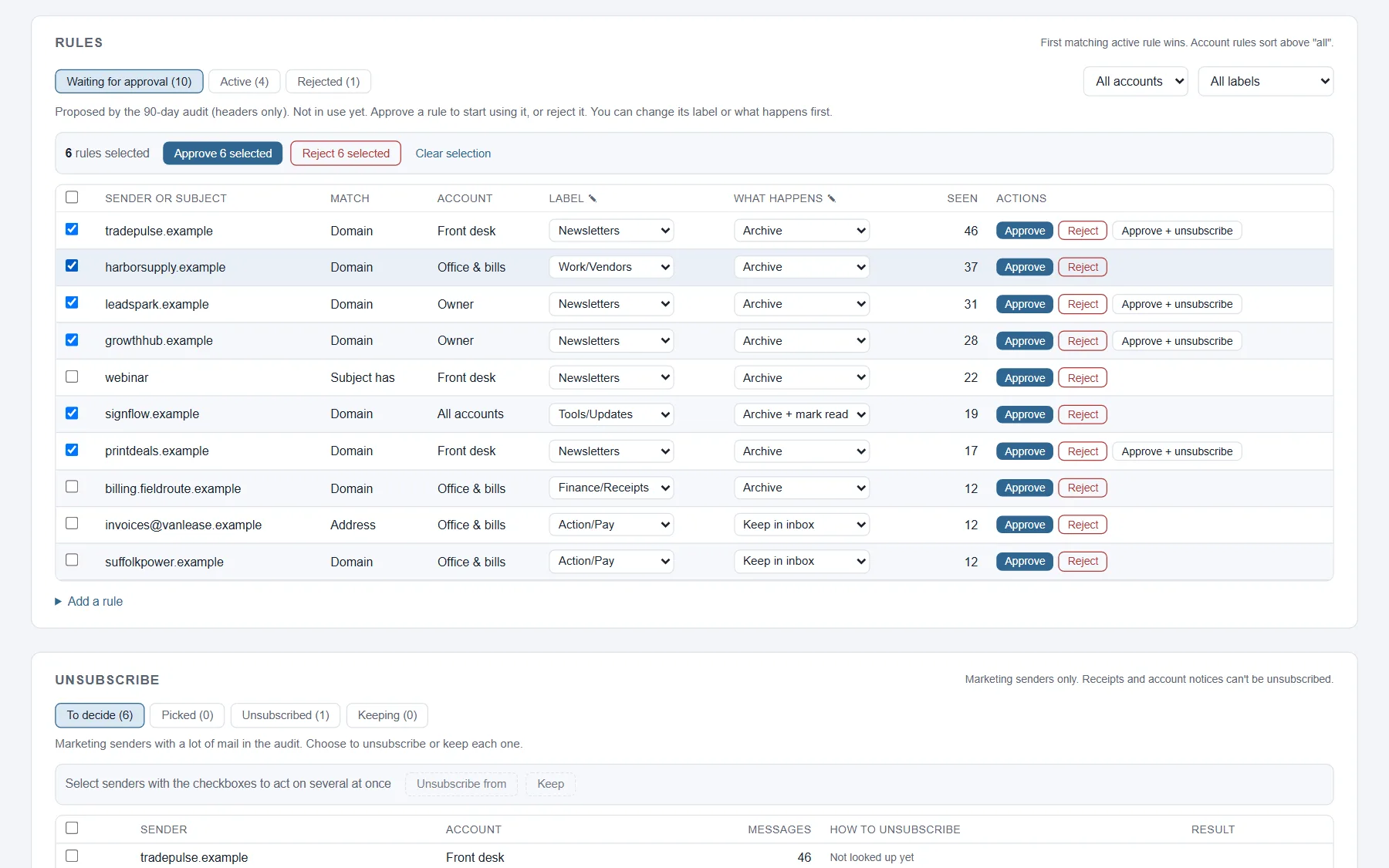
-
2
Try it safely first
Each inbox starts in dry run: you see every decision it would make, and no mail moves. When the decisions look right, you switch that inbox to live. You can switch any inbox off at any time.
You switch it to live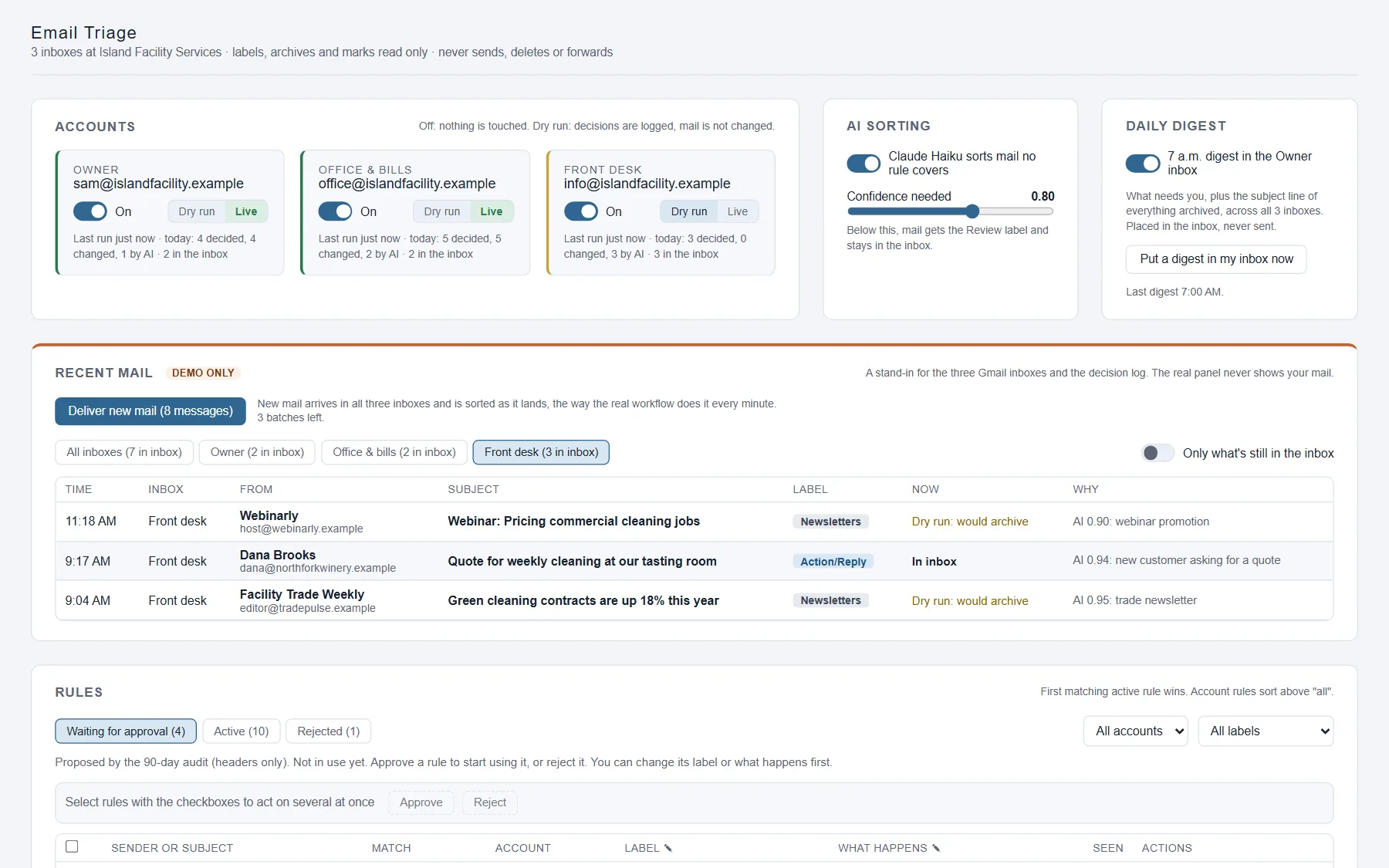
-
3
New mail is sorted within a minute
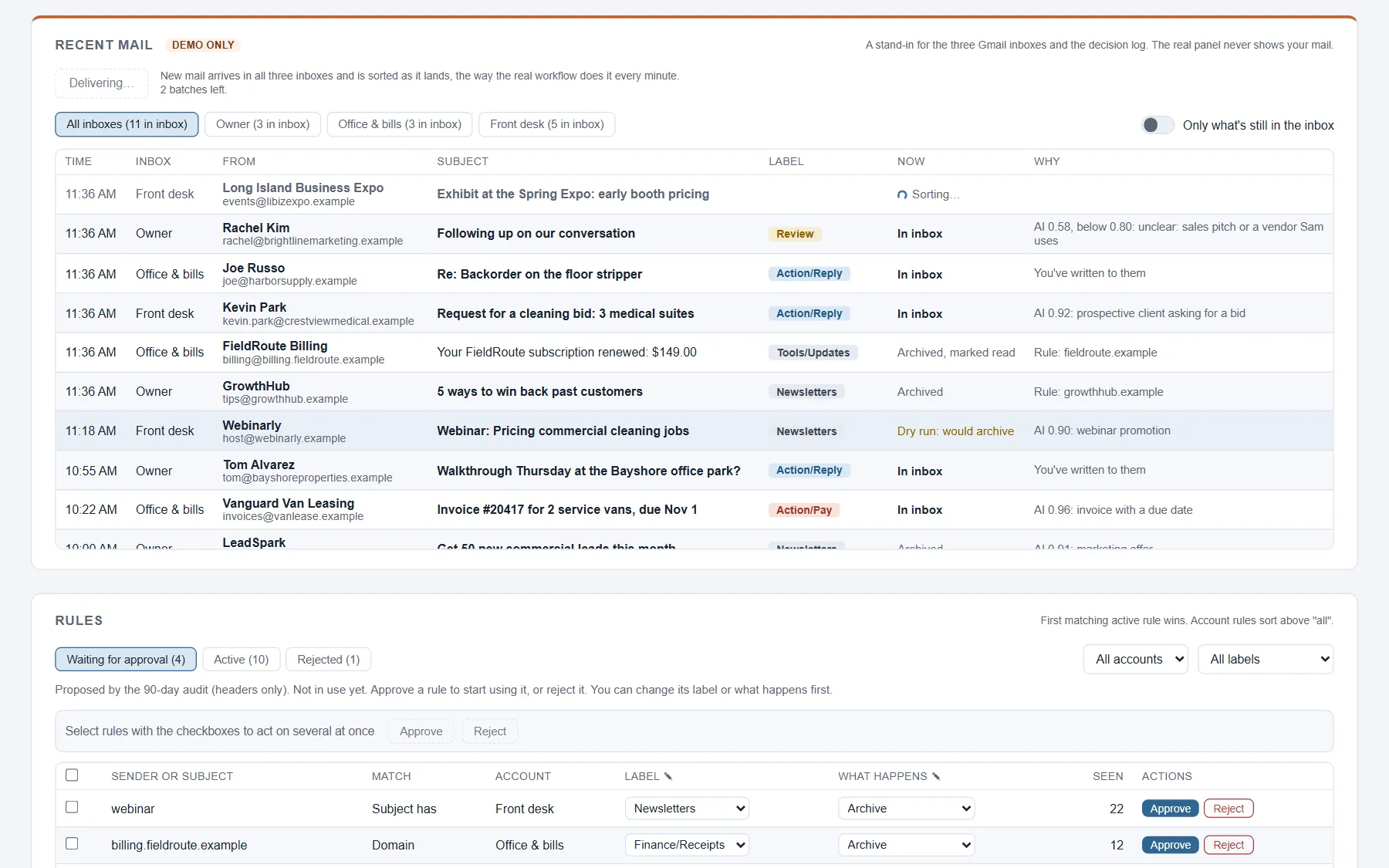
Every minute, each new message goes through the same checks, in order. Mail from anyone you've written to always stays in your inbox. Next come the approved rules. Anything no rule covers goes to the AI (Claude Haiku), which picks a label and says how sure it is. If it's less sure than the level you set, the message is labeled Review and stays in the inbox. Bills, client mail and security alerts always stay in front of you. Security alerts are archived only after they've been read.
-
4
Archived mail still reaches you
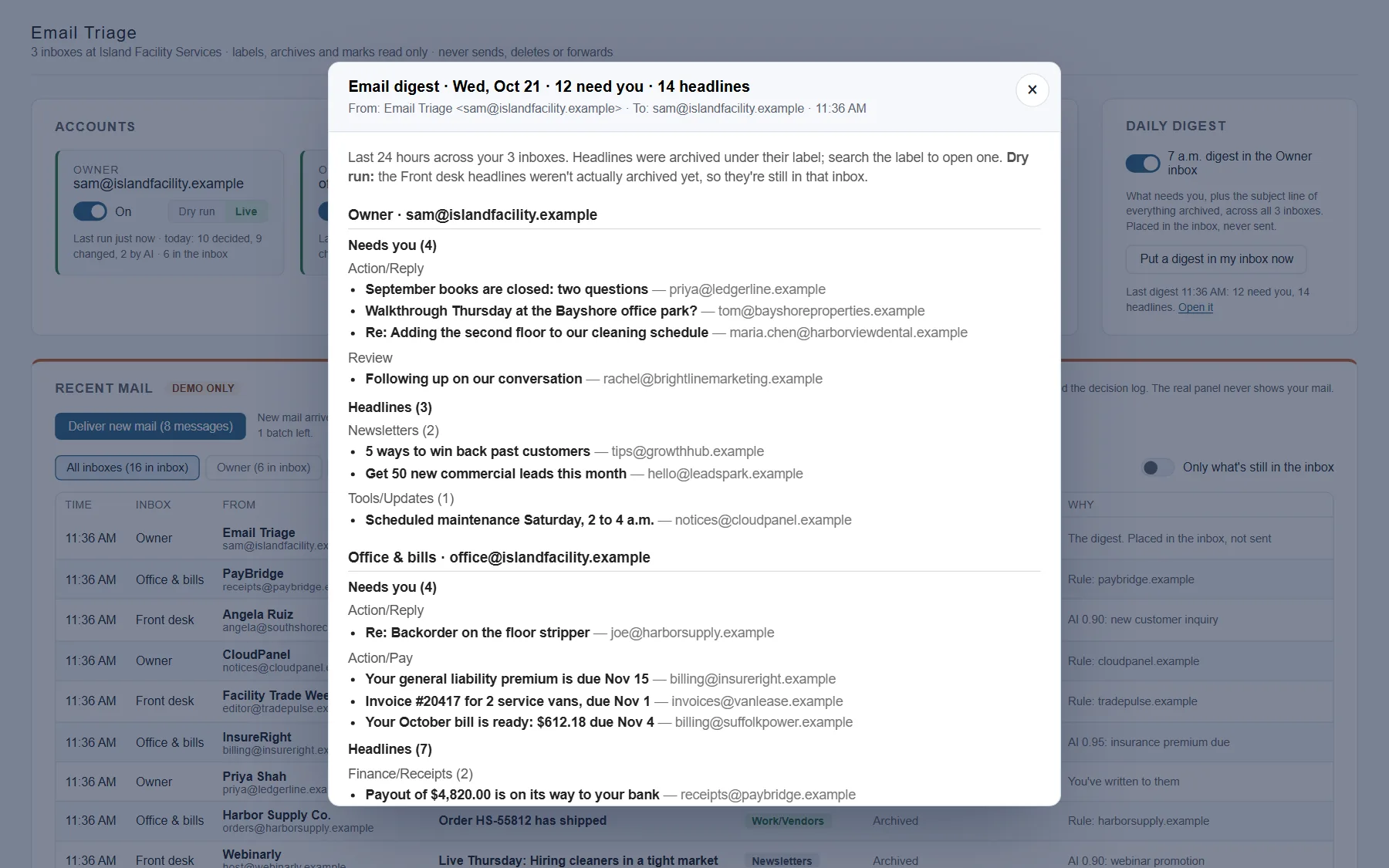
Every morning at 7, a digest lands in your inbox. It is placed there, never sent. It lists what needs you, then the subject line of every message that was archived, by inbox and label. Often the subject line is the whole notice. Reading it should take under two minutes.
-
5
Unsubscribe in a few clicks
You see the marketing senders that send you the most mail. Pick the ones to drop. The system finds out how each one handles unsubscribes, then sends the standard one-click request to the ones that support it, after you confirm. A few senders need a link or a settings page, and those are listed for you. Their rule keeps archiving anything that still arrives.
You confirm first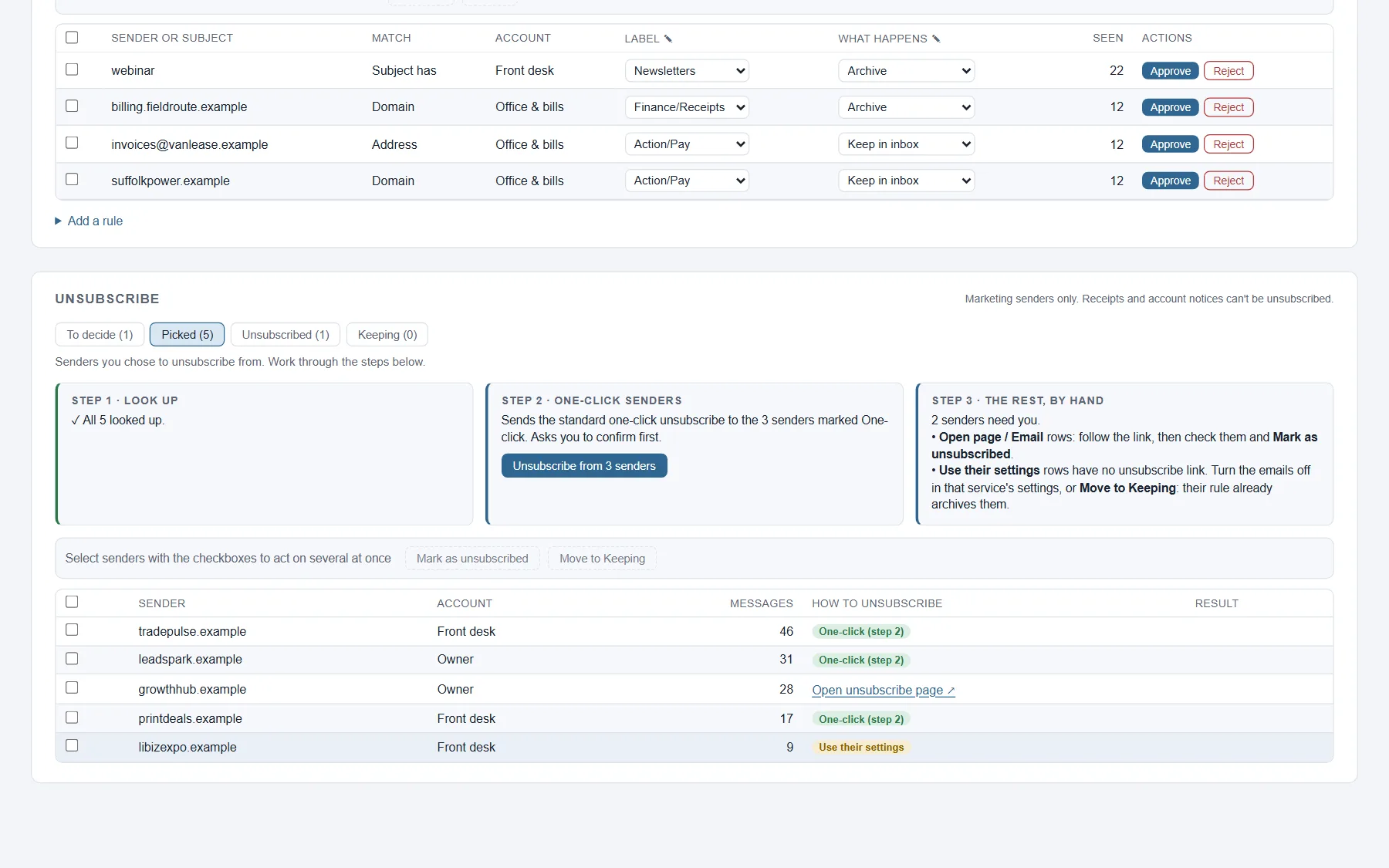
Try it yourself
The real panel, with a fictitious business
This is a working copy of the panel Neurvana uses every day, set up for a sample facility services company with three inboxes. Take the controls: a Recent mail list stands in for Gmail, so you can watch each decision. Everything runs in your browser.
- Approve the rules the audit proposed.
- Switch the Front desk inbox from dry run to live.
- Deliver new mail, and see where each message went and why.
- Read the morning digest, then unsubscribe from marketing mail.
Safe with real mail, and in your control
Archive is the strongest action
It labels, archives and marks mail read. It never sends, replies or forwards, and it never deletes mail from anyone else, so any mistake is undone with a search.
People come first
Mail from someone you've written to always stays in the inbox, whatever the rules say.
When unsure, it asks
If the AI isn't sure enough, the message stays in the inbox with a Review label. You set how sure it has to be.
If something breaks, mail stays put
If the AI is down or a step fails, the message is left in the inbox untouched. Every decision is logged with what made it: a rule, the AI, or the people-first check.
Works alongside other systems
It can leave some mail to your other tools. In Neurvana's own inbox, replies from prospects are left for the prospecting system, so no reply or unsubscribe is missed.
Costs little to run
Rules sort most mail. The AI sees a few dozen messages a day, which costs a few dollars a month at most.
- Gmail
- n8n workflows
- Firebase
- Claude Haiku
What we learned
Opening an email isn't a vote
The first plan used open rates. If a sender's mail was never opened, that sender was a candidate to unsubscribe from, and a sign of what didn't matter.
Real use showed that was wrong. People often get the whole notice from the subject line and never open the message. Unopened didn't mean unwanted.
So open rates were dropped, and the morning digest was added. Every archived subject line still reaches you, in one place. That is how Neurvana works on any project: put it to real use, watch what happens, and fix what it shows.
Your business has work like this
This system is one example. If your team loses hours to email, data entry or follow-ups, we can build something that handles the busywork and leaves the decisions to you.
 Luke McNeur, Founder, Neurvana AI